ABBYY FineReader OCR Professional 9.0.0.1019Downloading file: FR90PE_ESD.exe |
ABBYY FineReader OCR Professional description
An intelligent and easy-to-use OCR (Optical Character Recognition) and PDF conversion software
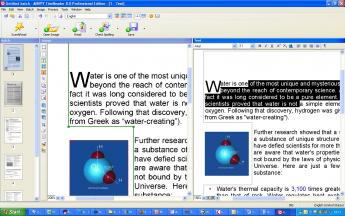
ABBYY FineReader Professional Edition is an ideal optical character recognition (OCR) software for those who demand the highest level of recognition accuracy and format retention.
An excellent time-saving solution, FineReader allows you to convert and edit a variety of paper and electronic files, including magazines, newspapers, books, faxes, copies, and PDF files.
Features:
Recognition and Accuracy
· Superior Recognition Accuracy
ABBYY FineReader 9.0 delivers highest recognition accuracy and layout retention, even on difficult-to-read and low-quality images such as faxes and digital photographs. The program allows uses to convert scanned images, digital photos and PDFs into editable and searchable electronic documents with literally no retyping and reformatting. In the 9.0 version, the overall accuracy has been increased by as much as 35 percent*, especially on documents containing tables, legal documents, multilingual documents, and images from digital cameras.
· Multilingual Recognition
ABBYY continues to lead in the OCR language support. With ABBYY FineReader, users can process documents in 179 languages including Armenian, Cyrillic, Greek, and Latin. FineReader also recognizes scripting languages and simple chemical formulas. The software includes dictionaries with spell-checking capabilities for 36 languages allowing verification of recognized text directly in the FineReader Editor.
· Automatic Language Detection
FineReader cuts an additional step in the OCR process by automatically detecting the appropriate document recognition language.
· Text within Graphics
FineReader allows users to manually draw text areas inside the graphics areas of document images. This feature is useful when users want to output documents that contain graphics, charts and screenshots into searchable PDFs. This way, FineReader uses the text zoning to create underlying text for search-ability.
· Processing Documents with Signatures, Company Stamps, and Line Numbering
FineReader 9.0 automatically identifies the specialized elements and formatting found typically in legal documents. For example, the program automatically locates and preserves signatures or company stamps in contracts and recognizes and reproduces line numbers in pleading documents.
· Fast Mode Recognition
When processing good quality images with simple layout, a user can use the Fast Mode Recognition option to increase recognition speed up to 2.5 times*.
· Intelligent Background Filtering
FineReader’s background filtering system employs dynamic threshold technology to automatically adjust contrast when converting grayscale and color document images to black and white prior to OCR recognition. This feature optimizes recognition even when processing low-contrast images and documents.
· Vertical, Colored and Inverted Text Recognition
ABBYY FineReader is the only OCR application that reads vertical text. It recognizes text that is colored or inverted and retains those attributes in the output document.
· Barcode Recognition
ABBYY FineReader reads both 1-D and 2-D barcodes. It also offers the option to treat barcodes as images (default) or recognize a barcode and display its value. User can change the defoult setting to allow FineReader automatically analyze and recognize barcodes.
· Special Recognition Mode for Dot Matrix and Type-written Documents
With its special mode for recognizing dot-matrix print and type-written documents, ABBYY FineReader is useful if a user need to convert legacy documents. The program allows you to specify document’s “print type” and applies that type to the entire document, selected blocks, or table cells for best recognition result.
Custom Dictionaries:
· Integrated Microsoft Word Custom Dictionary
ABBYY FineReader enables users to create their own customized word list for processing industry specific texts or professional documents.
· Creation of Morphological User Dictionaries
FineReader allows users to add words and create custom dictionaries. When adding new words, FineReader will prompt them to enter additional word forms that stem from the same root.
| Download FR90PE_ESD.exe free (42.58 MB) | |||||||||||||||
|
|||||||||||||||
| Important software notice | |
|
| Microsoft Office 2007 Well known business office suite |
|
107/4208 | ||||||
| Microsoft Visio Viewer 2007 Viewer for Visio diagrams and drawings |
|
46/3865 | ||||||
| Adobe Reader 9.0.0 View and print PDF files |
pick |
75/3348 | ||||||
| MySQL Administrator for Windows 15.0 r10 Powerful visual administration console |
|
56/3257 | ||||||
| ABBYY FineReader OCR Professional 9.0.0.1019 Optical Character Recognition software |
pick |
42/3154 | ||||||
| Visio Electrical 1.11 Visio Electrical Stencils Templates. |
|
52/2035 | ||||||
| Grammar Check Anywhere 2007 Adds Spelling & Grammar Check To All Windows |
|
47/1957 | ||||||
| OpenOffice.org 3.0.0 Open Source alternative to Microsoft Office |
pick |
78/1882 | ||||||
| Microsoft Money 2008 17.0 See where your money is going in simple steps |
|
35/1810 | ||||||
| Calendar Magic 17.0 free |
|
53/1697 |