Login
Notepad++ 6.1.2
-
License:
Freeware
-
Latest Version:
6.1.2
-
Editors' Review:
Not yet reviewed
-
Updated:
Apr 27, 2012
- Publisher:
-
Platform:
Windows
- Category:
- Subcategory:
-
File size:
5.5 Mb
-
Downloads:
308
Notepad++ Description
Notepad++ - A source code editor for the programmer and a better text editor.
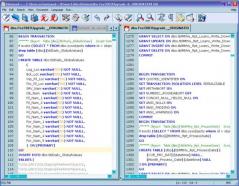
Notepad++ is a free, comprehensive source code editor that provides support for a number of programming languages with very useful features such as syntax highlighting, multi-document, style configurator and many others.
Features:
- Syntax highlighting and syntax folding are available for the following programming languages: C, C++, Java, C#, XML, HTML, PHP, Javascript, RC resource file, makefile, ASCII art file (.nfo, doxygen, ini file, batch file, ASP, VB/VBS source files, SQL, Objective-C, CSS, Pascal, Perl, Python and Lua).
- WYSIWYG options for printing.
- The Style Configurator Dialog enables you to modify the background or foreground color for each style in all supported languages.
- Define syntax highlighting keywords, syntax folding keywords and also comment keywords and operators.
- Edit multiple documents simultaneously.
- Edit two documents at the same time and visualize each one in a different view and/or position.
- Support is enabled for Regular Expression Search.
- Drag & drop a document to open it or move it to another position.
- You can dynamically set the position of the views.
- Receive notifications to update your documents every time you modify or delete a file that has been opened in Notepad++.
- Zoom in/out function.
- Support is provided for Chinese, Japanese and Korean Windows environments.
Notepad++ is a free, comprehensive source code editor that provides support for a number of programming languages with very useful features such as syntax highlighting, multi-document, style configurator and many others.
Features:
- Syntax highlighting and syntax folding are available for the following programming languages: C, C++, Java, C#, XML, HTML, PHP, Javascript, RC resource file, makefile, ASCII art file (.nfo, doxygen, ini file, batch file, ASP, VB/VBS source files, SQL, Objective-C, CSS, Pascal, Perl, Python and Lua).
- WYSIWYG options for printing.
- The Style Configurator Dialog enables you to modify the background or foreground color for each style in all supported languages.
- Define syntax highlighting keywords, syntax folding keywords and also comment keywords and operators.
- Edit multiple documents simultaneously.
- Edit two documents at the same time and visualize each one in a different view and/or position.
- Support is enabled for Regular Expression Search.
- Drag & drop a document to open it or move it to another position.
- You can dynamically set the position of the views.
- Receive notifications to update your documents every time you modify or delete a file that has been opened in Notepad++.
- Zoom in/out function.
- Support is provided for Chinese, Japanese and Korean Windows environments.
Notepad++ 6.1.2 is licensed as Freeware for the Windows operating system / platform. Notepad++ is provided as a free download for all software users (Freeware).
Notepad++ User Reviews (0)
No reviews yet, be the first to add a review and we'll give you some extra points.
Notepad++ Related Searches
Notepad++ Download Notice
Notepad++ is periodically updated by FileCluster but you may encounter situations when the software informations are slightly out-of-date, the producers of Notepad++ can modify the product without notifying us. Notepad++ 6.1.2 is currently the last updated version of the software. All rights for Notepad++ are belong to the developer, Don HO.
Any form of support or software problems regarding Notepad++ will be addressd to its developers. Please be aware that we do NOT provide Notepad++ cracks, serial numbers, registration codes or any forms of pirated software downloads.
Notepad++ Related Software
DForD DocumentHelper Standard Edition 1015.0.285
A powerful doucment and ebook management tool
2 / 152
Extract Data & Text From Multiple Text Files Software 7.0
Extract lines that contain specified text.
2 / 167