Login
ClockGen 1.0.5.3
-
License:
Freeware
-
Latest Version:
1.0.5.3
-
Editors' Review:
Not yet reviewed
-
Updated:
Aug 12, 2007
- Publisher:
-
Platform:
Windows
- Category:
- Subcategory:
-
File size:
0.32 Mb
-
Downloads:
186,794
Author's Description
ClockGen - Set of overclocking software
The ClockGen series contains a bundle of overclocking programs, with multiple versions dedicated to one or several mainboards.
A Clockgen software dynamically overclocks (changes the system clock) a number of devices of your system: CPU, memory, AGP and PCI bus and provides overclock monitoring and improving functions.
Instructions:
ClockGen does not require installation. Extract all the files in the same folder and run ClockGen.exe. ClockGen saves your settings in a file named clockgen.ini stored in the Windows folder for temporary files (usually: C:\Documents and Settings\UserName\Local Settings\Temp). To remove clockgen.ini from your system, run Clockgen with the following parameter: ClockGen.exe –u
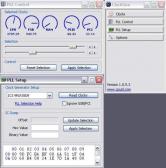
ClockGen will show, in its main window, available functions on your system depending on your system specifications. “PLL Control” and “PLL Setup” buttons will appear when ClockGen detects a clock generator on your system.
To select the clock generator (PLL) first click on “PLL Setup”. Sometimes ClockGen will recognize the PLL model that your system is using (especially if your mainboard has an nVidia chipset integrated). In this case you won’t be able to select it yourself so you can skip to the “PLL Control” step.
The ClockGen series contains a bundle of overclocking programs, with multiple versions dedicated to one or several mainboards.
A Clockgen software dynamically overclocks (changes the system clock) a number of devices of your system: CPU, memory, AGP and PCI bus and provides overclock monitoring and improving functions.
Instructions:
ClockGen does not require installation. Extract all the files in the same folder and run ClockGen.exe. ClockGen saves your settings in a file named clockgen.ini stored in the Windows folder for temporary files (usually: C:\Documents and Settings\UserName\Local Settings\Temp). To remove clockgen.ini from your system, run Clockgen with the following parameter: ClockGen.exe –u
ClockGen will show, in its main window, available functions on your system depending on your system specifications. “PLL Control” and “PLL Setup” buttons will appear when ClockGen detects a clock generator on your system.
To select the clock generator (PLL) first click on “PLL Setup”. Sometimes ClockGen will recognize the PLL model that your system is using (especially if your mainboard has an nVidia chipset integrated). In this case you won’t be able to select it yourself so you can skip to the “PLL Control” step.
ClockGen 1.0.5.3 is licensed as Freeware for the Windows operating system / platform. ClockGen is provided as a free download for all software users (Freeware).
User Reviews (3)
"Nice software"
by vicky67 on Nov 19, 2010
Pros
I'm so happy with this software. It's very quick and simple to use.Cons
Nothing.Summary
Try for yourself!
There are 3 reviews
Read All User Reviews
Leave your review
Related Searches
Download Notice
ClockGen is periodically updated by FileCluster but you may encounter situations when the software informations are slightly out-of-date, the developer can modify this product without notifying us. Version [1.0.5.3] is currently the latest updated version of the software.
Any form of support or software problems will be addressd directly to its developers, cpuid.com. Please be aware that we do NOT provide ClockGen cracks, serial numbers, registration codes or any forms of pirated software downloads.
Related Software
Auslogics Benchtown 1.1.0
Test your PC's overall and gaming performance to find out its real speed.
0 / 297
Intel Desktop Utilities 3.2.4.055b
Monitor system temperatures, voltages, fan speeds, and hard drive health, view detailed system information, and test your system hardware for common errors.
2 / 64
MindSoft WindowsCare for Netboook 1.00.2011
High performance Tools for your Netbook!. Optimizes. Repairs. Protects.
0 / 147