Login
Screenpresso 1.3.8.0
-
License:
Demo ($23.88)
-
Latest Version:
1.3.8.0
-
Editors' Review:
Not yet reviewed
-
Updated:
Apr 22, 2013
- Publisher:
-
Platform:
Windows
- Category:
- Subcategory:
-
File size:
9.4 Mb
-
Downloads:
777
Author's Description
Screenpresso - Take the best screen captures in a few seconds.
Take the best screen captures in a few seconds.
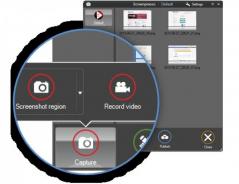
Screenpresso is a simple tool that will help you capture screenshots easily. It overrides the Print Screen key.
Screenpresso features :
Capture:
- Entire screen, region, window
- One-click screen capture
- Clean transparency borders and corners on Vista and Windows 7
- Scrolling part thanks to stitching mechanism
- Include cursor in your captures with a zoom factor
- Magnifying glass to capture with a one pixel precision
- Perform actions after taking screen shots : open the editor, open the history
- Manage the clipboard usage after screen shot
- Automate resizing on every capture
- Automate effects (drop shadow, borders, reflexion, ...) on every capture
- Multiple screens support
- Video
Organize : Screenshot History:
- Store up to 100 screenshots sorted by date
- Automatic file naming
- Batch conversion of images : resizing and adding effects
- Easy create thumbnails of all captures
- Rename and delete screenshots
Share:
- Save screenshots in PNG, JPG, GIF, BMP formats
- Drag & Drop screenshots from History to any application that accept images
- Send to email : easy attach files to email editor like Outlook, Thunderbird, GMail ...
- Save to clipboard (inlcuding image and file path)
- Send to your favorite image editor in one click
- Send to printer with autofit option
Built-in Editor:
- Vector-based editing
- Drop shadows
- Image effects : drop shadows, borders, reflexion, color background, rotation
- Drawing tools : rectangle, ellipse, numbering,...
- Text boxes
- Annotations
- Arrows
- Eliminating unwanted areas of screen captures : Crop
- Blurring confidential data
- Callouts
- Advanced resize options
- Ribbon-based menus
Others:
- Touch screens support
- No need for administrator priviledges
- No install required
Requirements:
- Microsoft .NET Framework 3.5 SP1
Take the best screen captures in a few seconds.
Screenpresso is a simple tool that will help you capture screenshots easily. It overrides the Print Screen key.
Screenpresso features :
Capture:
- Entire screen, region, window
- One-click screen capture
- Clean transparency borders and corners on Vista and Windows 7
- Scrolling part thanks to stitching mechanism
- Include cursor in your captures with a zoom factor
- Magnifying glass to capture with a one pixel precision
- Perform actions after taking screen shots : open the editor, open the history
- Manage the clipboard usage after screen shot
- Automate resizing on every capture
- Automate effects (drop shadow, borders, reflexion, ...) on every capture
- Multiple screens support
- Video
Organize : Screenshot History:
- Store up to 100 screenshots sorted by date
- Automatic file naming
- Batch conversion of images : resizing and adding effects
- Easy create thumbnails of all captures
- Rename and delete screenshots
Share:
- Save screenshots in PNG, JPG, GIF, BMP formats
- Drag & Drop screenshots from History to any application that accept images
- Send to email : easy attach files to email editor like Outlook, Thunderbird, GMail ...
- Save to clipboard (inlcuding image and file path)
- Send to your favorite image editor in one click
- Send to printer with autofit option
Built-in Editor:
- Vector-based editing
- Drop shadows
- Image effects : drop shadows, borders, reflexion, color background, rotation
- Drawing tools : rectangle, ellipse, numbering,...
- Text boxes
- Annotations
- Arrows
- Eliminating unwanted areas of screen captures : Crop
- Blurring confidential data
- Callouts
- Advanced resize options
- Ribbon-based menus
Others:
- Touch screens support
- No need for administrator priviledges
- No install required
Requirements:
- Microsoft .NET Framework 3.5 SP1
Screenpresso 1.3.8.0 is licensed as Demo for the Windows operating system / platform. Screenpresso is provided as a free to try download for all software users (Demo).
User Reviews (0)
No reviews yet, be the first to add a review and we'll give you some extra points.
Related Searches
Download Notice
Screenpresso is periodically updated by FileCluster but you may encounter situations when the software informations are slightly out-of-date, the developer can modify this product without notifying us. Version [1.3.8.0] is currently the latest updated version of the software.
Any form of support or software problems will be addressd directly to its developers, LearnPulse, Inc.. Please be aware that we do NOT provide Screenpresso cracks, serial numbers, registration codes or any forms of pirated software downloads.
Related Software
Stone Screen Recorder 1.2.198
Record your desktop activities and speech from microphone real time
1 / 105
Portable Lightscreen 1.01
An easy-to-use application which lets you take snapshots of your desktop.
0 / 181