Login
LazPaint 5.6
-
License:
Freeware
-
Latest Version:
5.6
-
Editors' Review:
Not yet reviewed
-
Updated:
Mar 08, 2013
- Publisher:
-
Platform:
Windows
- Category:
- Subcategory:
-
File size:
2.6 Mb
-
Downloads:
124
Author's Description
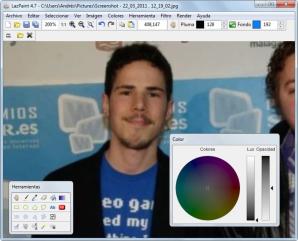
LazPaint - Image editor, like PaintBrush or Paint.Net, written in Lazarus (Free Pascal).
Images supported
BMP : uncompressed bitmaps
PNG : lossless compressed bitmaps
JPG : lossy compression
PDN : file with layers from Paint.NET (image is flattened while loading)
GIF : user can choose a frame
ICO : user can choose a size
Filters
Radial blur : non directional blur
Motion blur : directional blur
Custom blur : blur according to a mask
Sharpen : makes contours more accute, complementary to Smooth
Smooth : softens whole image, complementary to Sharpen
Median : computes the median of colors around each pixel, which softens corners.
Contour : draws contours on a white background (like a pencil drawing)
Emboss : draws contours with shadow
Sphere : spherical projection
Cylinder : cylinder projection
Clouds : add clouds of the current pen color
Color manipulation
Colorize : set the color of an image while preserving intensities
Shift colors : cycle colors and change colorness (saturation)
Intensity : make colors lighter or darker without making them white
Lightness : make colors lighter or darker by making them whiter
Normalize : use the whole range of each color channel and alpha channel
Negative : invert colors (with gamma correction)
Linear negative : invert colors (without gamma correction)
Grayscale : converts colors to grayscale with gamma correction
Images supported
BMP : uncompressed bitmaps
PNG : lossless compressed bitmaps
JPG : lossy compression
PDN : file with layers from Paint.NET (image is flattened while loading)
GIF : user can choose a frame
ICO : user can choose a size
Filters
Radial blur : non directional blur
Motion blur : directional blur
Custom blur : blur according to a mask
Sharpen : makes contours more accute, complementary to Smooth
Smooth : softens whole image, complementary to Sharpen
Median : computes the median of colors around each pixel, which softens corners.
Contour : draws contours on a white background (like a pencil drawing)
Emboss : draws contours with shadow
Sphere : spherical projection
Cylinder : cylinder projection
Clouds : add clouds of the current pen color
Color manipulation
Colorize : set the color of an image while preserving intensities
Shift colors : cycle colors and change colorness (saturation)
Intensity : make colors lighter or darker without making them white
Lightness : make colors lighter or darker by making them whiter
Normalize : use the whole range of each color channel and alpha channel
Negative : invert colors (with gamma correction)
Linear negative : invert colors (without gamma correction)
Grayscale : converts colors to grayscale with gamma correction
LazPaint 5.6 is licensed as Freeware for the Windows operating system / platform. LazPaint is provided as a free download for all software users (Freeware).
User Reviews (0)
No reviews yet, be the first to add a review and we'll give you some extra points.
Download Notice
LazPaint is periodically updated by FileCluster but you may encounter situations when the software informations are slightly out-of-date, the developer can modify this product without notifying us. Version [5.6] is currently the latest updated version of the software.
Any form of support or software problems will be addressd directly to its developers, Circular. Please be aware that we do NOT provide LazPaint cracks, serial numbers, registration codes or any forms of pirated software downloads.
Related Software