Login
AKVIS Sketch 14.0
-
License:
Shareware ($72)
-
Latest Version:
14.0
- Editors' Review:
-
Updated:
Apr 17, 2013
- Publisher:
-
Platform:
Windows
- Category:
- Subcategory:
-
File size:
40.82 Mb
-
Downloads:
1,187
Author's Description
AKVIS Sketch - Photo to Sketch Conversion Software
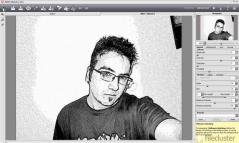
AKVIS Sketch is photo to sketch conversion software. It turns photos into pencil sketches and watercolor paintings. AKVIS Sketch lets you create realistic color and B&W drawings, it imitates the technique of graphite and color pencil, charcoal and watercolor painting.
The program is available in two versions: as an independent program (standalone) and as a plugin to a photo editor. AKVIS Sketch has a neat interface with a few sliders. At first you can process the image with the default settings and then touch up the photo adding color, or trying different techniques - from pencil to charcoal or watercolor. You can make the hatching denser or finer and change the pitch angle of strokes, or add/remove the original colors.
You will be delighted by the neat result of the photo to sketch conversion. Using the program can be a lot of fun. Make a pencil portrait as a gift for your relatives and friends, a watercolor drawing obtained from your last nature shooting can decorate your room, or you can convert any photo to an original drawing to print on a T-Shirt. The program helps you when you need to quickly bring images to one style for a website or an advertisement booklet.
AKVIS Sketch comes very close to the hand-drawn works of a human artist. On the whole it's a wonderful tool for those who have always wanted to draw but didn't know how.
AKVIS Sketch is photo to sketch conversion software. It turns photos into pencil sketches and watercolor paintings. AKVIS Sketch lets you create realistic color and B&W drawings, it imitates the technique of graphite and color pencil, charcoal and watercolor painting.
The program is available in two versions: as an independent program (standalone) and as a plugin to a photo editor. AKVIS Sketch has a neat interface with a few sliders. At first you can process the image with the default settings and then touch up the photo adding color, or trying different techniques - from pencil to charcoal or watercolor. You can make the hatching denser or finer and change the pitch angle of strokes, or add/remove the original colors.
You will be delighted by the neat result of the photo to sketch conversion. Using the program can be a lot of fun. Make a pencil portrait as a gift for your relatives and friends, a watercolor drawing obtained from your last nature shooting can decorate your room, or you can convert any photo to an original drawing to print on a T-Shirt. The program helps you when you need to quickly bring images to one style for a website or an advertisement booklet.
AKVIS Sketch comes very close to the hand-drawn works of a human artist. On the whole it's a wonderful tool for those who have always wanted to draw but didn't know how.
AKVIS Sketch 14.0 is licensed as Shareware for the Windows operating system / platform. AKVIS Sketch is provided as a free to try download for all software users (Shareware).
User Reviews (0)
No reviews yet, be the first to add a review and we'll give you some extra points.
Related Searches
Download Notice
AKVIS Sketch is periodically updated by FileCluster but you may encounter situations when the software informations are slightly out-of-date, the developer can modify this product without notifying us. Version [14.0] is currently the latest updated version of the software.
Any form of support or software problems will be addressd directly to its developers, AKVIS. Please be aware that we do NOT provide AKVIS Sketch cracks, serial numbers, registration codes or any forms of pirated software downloads.
Related Software
AnyPic Image Resizer Free 1.0.7
Convert and resize thousands images with just a few mouse clicks.
1 / 163
PhotoBling 1.0
PhotoBling can apply special and artistic effects to medium sized JPEG images.
1 / 94