Login
FocusWriter 1.3.5.2
-
License:
Freeware
-
Latest Version:
1.3.5.2
-
Editors' Review:
Not yet reviewed
-
Updated:
Jan 29, 2012
- Publisher:
-
Platform:
Windows
- Category:
- Subcategory:
-
File size:
17 Mb
-
Downloads:
81
FocusWriter Description
FocusWriter - A fullscreen, distraction-free word processor.
A fullscreen, distraction-free word processor.
The FocusWriter application was designed to be a fullscreen, distraction-free word processor designed to immerse you as much as possible in your work. The program autosaves your progress, and reloads the last files you had open to make it easy to jump back in during your next writing session, and has many other features that make it such that only one thing matters: your writing.
The most important thing about writing is your words, and FocusWriter puts them front and center, without cluttering up your view with anything else. However, it's good to have quick and easy access to the features of any program, so FocusWriter utilizes a hide-away interface: simply throw your mouse to the top, bottom, or right side of the screen to gain access to a number of customizable options and useful information, then flick it aside when you're no longer interested.
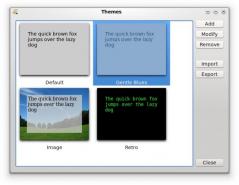
You can have multiple environments with different fonts, colors, and background images to create ambiance or inspiration as you type. Use an astronomy photo in the background to put you in the mood for writing science fiction, or a seaside bluff to inspire your summertime murder mystery novel set in Cape Cod.
Word count, paragraph count, page count, and character count; almost anything that you could want to know about your progress, updated live as you type. Fast and easy to check, so as not to wrench you out of your zone. Enable or disable any of them to customize what you want to track.
Sometimes the hardest part of writing is keeping yourself motivated, and having a daily goal can be a big help. To that end, FocusWriter has two types of optional daily goals: word count, and time spent typing. These are charted by day and not by session, so you can feel free to come back at tinker at it several times throughout the day to reach it if you need to. Additionally, FocusWriter doesn't stop the progress count at 100% so as to not cap your creativity; if you're having a really good day, why not challenge yourself to try for 200% or even beyond?
A fullscreen, distraction-free word processor.
The FocusWriter application was designed to be a fullscreen, distraction-free word processor designed to immerse you as much as possible in your work. The program autosaves your progress, and reloads the last files you had open to make it easy to jump back in during your next writing session, and has many other features that make it such that only one thing matters: your writing.
The most important thing about writing is your words, and FocusWriter puts them front and center, without cluttering up your view with anything else. However, it's good to have quick and easy access to the features of any program, so FocusWriter utilizes a hide-away interface: simply throw your mouse to the top, bottom, or right side of the screen to gain access to a number of customizable options and useful information, then flick it aside when you're no longer interested.
You can have multiple environments with different fonts, colors, and background images to create ambiance or inspiration as you type. Use an astronomy photo in the background to put you in the mood for writing science fiction, or a seaside bluff to inspire your summertime murder mystery novel set in Cape Cod.
Word count, paragraph count, page count, and character count; almost anything that you could want to know about your progress, updated live as you type. Fast and easy to check, so as not to wrench you out of your zone. Enable or disable any of them to customize what you want to track.
Sometimes the hardest part of writing is keeping yourself motivated, and having a daily goal can be a big help. To that end, FocusWriter has two types of optional daily goals: word count, and time spent typing. These are charted by day and not by session, so you can feel free to come back at tinker at it several times throughout the day to reach it if you need to. Additionally, FocusWriter doesn't stop the progress count at 100% so as to not cap your creativity; if you're having a really good day, why not challenge yourself to try for 200% or even beyond?
FocusWriter 1.3.5.2 is licensed as Freeware for the Windows operating system / platform. FocusWriter is provided as a free download for all software users (Freeware).
FocusWriter User Reviews (0)
No reviews yet, be the first to add a review and we'll give you some extra points.
FocusWriter Related Searches
FocusWriter Download Notice
FocusWriter is periodically updated by FileCluster but you may encounter situations when the software informations are slightly out-of-date, the producers of FocusWriter can modify the product without notifying us. FocusWriter 1.3.5.2 is currently the last updated version of the software. All rights for FocusWriter are belong to the developer, Graeme Gott.
Any form of support or software problems regarding FocusWriter will be addressd to its developers. Please be aware that we do NOT provide FocusWriter cracks, serial numbers, registration codes or any forms of pirated software downloads.
FocusWriter Related Software
Microsoft Word Command Console 1.0
A must-have Word addin saves time, increases productivity. One-click commands.
12 / 30
AnyBizSoft PDF Password Remover for Mac 1.0.0
Instantly remove PDF password and restrictions on Mac OS X
2 / 239
Foxit PDF Creator Toolbar 1.0.0.1202
Foxit PDF CreatorToolbar allows users to convert most common office files to PDF
1 / 108