Adobe Premiere Pro CS3 |
| Publisher: | Adobe |
| Screenshot: | View Screenshots |
| Size: | 669.05 MB |
| Platform: | Windows |
| License: | Trial - $799 to buy |
| Updated: | 03 Jul, 2008 |
| Bookmark: |
|
| User Rating: | |
| Downloaded: 295 times |
Adobe Premiere Pro Publisher's Description
Adobe Premiere Pro - Efficient video production suiteThe start-to-finish solution for efficient video production that now includes Adobe OnLocation CS3 and Adobe Encore CS3
Tell your story with maximum impact using Adobe Premiere Pro CS3 software, the start-to-finish solution for efficient video production that now includes Adobe OnLocation CS3 and Adobe Encore CS3.
Save time from on-set capture using Adobe OnLocation through to output, expand your creative options via integration with Adobe After Effects CS3 Professional and Photoshop CS3 software, and deliver your content to DVD, Blu-ray Disc, the web, and mobile devices.
Adobe Premiere Pro Features:
Edit creatively and efficiently
Focus on telling your story with powerful, flexible editing tools. Save time creating dramatic effects and get finer creative control thanks to tight integration with Adobe Photoshop CS3 and After Effects CS3 Professional.
Work fast
Adobe After Effects CS3 Professional integration
Drag and drop or copy and paste clips and timelines between Adobe Premiere Pro CS3 and After Effects CS3 Professional. Open complete Adobe Premiere Pro projects, including nested sequences, in After Effects.
Adobe Photoshop CS3 integration
Import and animate Adobe Photoshop layers. Edit still images from Adobe Premiere Pro CS3 with Photoshop CS3. Automatically create Photoshop files to match the current project’s frame size and aspect ratio.
Direct-to-disk recording with included Adobe OnLocation CS3
Save tape and time by eliminating capture from your production process. Record SD and HD video directly to hard disk using Adobe OnLocation CS3 software, included with Adobe Premiere Pro CS3. Instantly review each shot without shuttling tape. Adobe OnLocation automatically detects and flags problems to provide the best results.
Adobe After Effects plug-in compatibility
Take advantage of After Effects software plug-ins to expand your effects options. Most After Effects plug-ins are compatible with Adobe Premiere Pro CS3.
Adobe Illustrator integration
Open Adobe Illustrator files in Adobe Premiere Pro CS3. When scaling an image in Adobe Premiere Pro, the image is rerasterized, ensuring that image quality remains pristine.
Adobe Soundbooth integration
Send audio files directly to Adobe Soundbooth software for editing, and hear changes immediately in the Adobe Premiere Pro CS3 timeline.
Adobe Encore CS3 integration
Save time in the authoring process by sending media with timeline markers directly to Adobe Encore CS3 for interactive authoring for Blu-ray Disc, DVD, and the web.
Customizable user interface
Adjust the Adobe Premiere Pro CS3 interface to fit any editing style, workflow, and environment. Panels can be configured in many arrangements and across multiple monitors. Use the docked interface to simultaneously adjust all windows.
Multiple project panels with smart file search
Find files faster with search tools that instantly update results as you type. Sort and organize assets into multiple project panels, each with its own graphical or text view setting. Display and handle media files, making project management easier and more efficient.
Project manager
Easily archive media, reclaim drive space, and move between offline and online environments. Consolidate projects by selecting and moving actual media used in a project to a single location for archiving and storage management.
File management with Adobe Bridge
Work more efficiently by using Adobe Bridge CS3 to search for and access your project files, preview and apply settings, run batch processes, and tag assets with XMP metadata.
Customizable keyboard shortcuts
Personalize your experience by creating multiple keyboard maps for different tasks or to support multiple users. Export your own shortcut sets, allowing you to be productive immediately when working with Adobe Premiere Pro on other systems.
Scrolling timeline
Set the timeline to scroll smoothly under a stationary indicator during playback, or adjust it to advance one page as the playback indicator reaches the edge of the window.
Assignable panel shortcuts
Switch between panels using keyboard shortcuts that save time and mouse fatigue.
No audio rendering with nested sequences
Play nested sequences immediately without having to render audio. This can save time when working with multicam sequences.
Realize your vision
Multicam editing
View multiple video tracks from a multiple-camera shoot, easily sync via timecode, and edit by switching between tracks in real time. Rerecord sections of your edit, make fine adjustments using standard timeline editing tools, and easily adjust color correction across multiple shots, even after editing.
Advanced color-correction tools
Use primary and secondary color-correction tools to match shots; change colors; correct exposure errors; and modify highlights, midtones, and shadows across clips, sequences, or entire projects.
Time remapping
Use slow motion to create dramatic effects that focus on the action. With a streamlined, on-clip interface, the time remapping feature makes it easy to speed up, slow down, reverse, and hold frames with precision.
Professional on-set monitoring with Adobe OnLocation CS3
Maximize camera image quality during shoots by using Adobe OnLocation CS3 to quickly calibrate your camera, check levels, and monitor your signal. Use simple tools that function like their hardware equivalents to get results quickly and easily. The virtual reference monitor, waveform monitor, vectorscope, and audio spectrum analyzer help you avoid problems and improve quality when shooting.
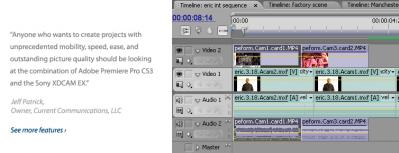
Multiple nestable timelines
Edit each section or sequence of your project on its own timeline. Nest each timeline section into a master timeline while maintaining full access
to every edit.
Professional internal scopes
Monitor luma and chroma levels on every line with the built-in waveform monitor and vectorscope. Display Waveform IRE information in standard, YCbCr Parade, RGB Parade, or combined modes.
Integrated titling
Create sophisticated text and graphics titles from scratch, from professionally designed templates, or from user-defined styles.
10-bit and 16-bit color resolution support
Maintain source integrity with support for 10-bit video and 16-bit PSD files.
| Storm Codec 7.07.16 Addon & Enhance of Windows Media Player |
|
262/13516 | ||||||
| SAT2PC.TV 1.0 Watch 3000 Tv channels online! |
|
26/7719 | ||||||
| K-Lite Mega Codec Pack 4.1.7 Codecs, DirectShow filters and tools |
|
37/3535 | ||||||
| Total Video Converter 3.12 total video converter |
|
168/2934 | ||||||
| CyberLink PowerDVD 8.0.1730.50 The #1 DVD Software Player |
|
38/2592 | ||||||
| AnyDVD 6.4.6.2 AnyDVD removes DVD movie copy protections |
pick |
28/2452 | ||||||
| Lifetime Youtube Converter 1.1.34 Lifetime Youtube Converter |
|
96/2418 | ||||||
| mp4 Player 4.0 Find codec and play mp4 video on your PC |
|
54/1941 | ||||||
| VDownloader 0.71 download Google, Youtube and Grinvi videos |
pick |
22/1520 | ||||||
| K-Lite Codec Pack 4.1.7 Collection of codecs and DirectShow filters |
pick |
8/1476 |