Login
Microsoft Safety Scanner 1.0.3001.0
-
License:
Freeware
-
Latest Version:
1.0.3001.0
-
Editors' Review:
Not yet reviewed
-
Updated:
Nov 03, 2011
- Publisher:
-
Platform:
Windows
- Category:
- Subcategory:
-
File size:
66.6 Mb
-
Downloads:
8,944
Author's Description
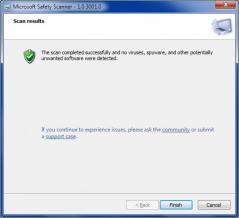
Microsoft Safety Scanner - A standalone on-demand computer scanner that erases viruses from your PC.
A standalone on-demand computer scanner that erases viruses from your PC.
The Microsoft Safety Scanner is a useful security tool that provides on-demand scanning and helps remove viruses, spyware, and other malicious software. It works with your existing antivirus software.
With the help of Microsoft Safety Scanner you'll be able to find and get rid of most malware threats from your system.
The Microsoft Safety Scanner is not a replacement for using an antivirus software program that provides ongoing protection.
For real-time protection that helps to guard your home or small business PCs against viruses, spyware, and other malicious software, download Microsoft Security Essentials.
Note:
The Microsoft Safety Scanner expires 10 days after being downloaded. To rerun a scan with the latest anti-malware definitions, download and run the Microsoft Safety Scanner again.
Requirements:
- A PC with a CPU clock speed of 500 MHz or higher, and 256 MB RAM or higher.
- VGA display of 800 × 600 or higher.
- 200 MB of available hard disk space.
A standalone on-demand computer scanner that erases viruses from your PC.
The Microsoft Safety Scanner is a useful security tool that provides on-demand scanning and helps remove viruses, spyware, and other malicious software. It works with your existing antivirus software.
With the help of Microsoft Safety Scanner you'll be able to find and get rid of most malware threats from your system.
The Microsoft Safety Scanner is not a replacement for using an antivirus software program that provides ongoing protection.
For real-time protection that helps to guard your home or small business PCs against viruses, spyware, and other malicious software, download Microsoft Security Essentials.
Note:
The Microsoft Safety Scanner expires 10 days after being downloaded. To rerun a scan with the latest anti-malware definitions, download and run the Microsoft Safety Scanner again.
Requirements:
- A PC with a CPU clock speed of 500 MHz or higher, and 256 MB RAM or higher.
- VGA display of 800 × 600 or higher.
- 200 MB of available hard disk space.
Microsoft Safety Scanner 1.0.3001.0 is licensed as Freeware for the Windows operating system / platform. Microsoft Safety Scanner is provided as a free download for all software users (Freeware).
User Reviews (0)
No reviews yet, be the first to add a review and we'll give you some extra points.
Related Searches
Download Notice
Microsoft Safety Scanner is periodically updated by FileCluster but you may encounter situations when the software informations are slightly out-of-date, the developer can modify this product without notifying us. Version [1.0.3001.0] is currently the latest updated version of the software.
Any form of support or software problems will be addressd directly to its developers, Microsoft Corp.. Please be aware that we do NOT provide Microsoft Safety Scanner cracks, serial numbers, registration codes or any forms of pirated software downloads.
Related Software
Winpooch 0.6.6
Winpooch will scan system directories and the registry in real time using very few process resources.
0 / 90
eWall SMTP Proxy 4.0
A SMTP gateway between your mail server and the Internet, catching spam/viruses.
3 / 270
SafenSoft SysWatch Personal 3.6
Proactive antivirus ensures system integrity with no need for signature updates
3 / 89