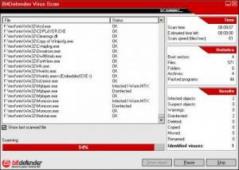
BitDefender Virus Definitions

BitDefender Virus Definitions August 30, 2008

Not Yet Rated
Publisher: SOFTWIN
Screenshot: N/A
Size: 20.32 MB
Platform: Windows
License:Freeware
Updated: 30 Aug, 2008
Bookmark:
User Rating:
Downloaded: 2786 times

BitDefender Virus Definitions Publisher's Description

BitDefender Virus Definitions - Latest virus signatures updates

The latest Virus Definitions for BitDefender 9, BitDefender Antivirus 10, BitDefender Antivirus Plus 10 and Internet Security 10
Works with BitDefender Professional Plus, BitDefender Antispyware, BitDefender Standard, BitDefender Internet Security

Because new threats appear every day, BitDefender antivirus must be updated periodically. The updates can be of these types:
· Virus signatures: databases of virus prints to be compared with the scanned files. Shown as Virus Definitions Update. These updates require restarting BitDefender. The restart occurs automatically.
· Spam signatures: rules for the heuristic and URL filters increasing the effectiveness of the antispam engine. Shown as AntiSpam Update.
· Product upgrades: new product features, scan techniques and hotfixes. Shown as Product Update. Occasionally, installing these updates requires restarting the computer.

To configure the automatic update do the
following:
· Open BitDefender and click Update.
· Click Settings.
· Configure the Update location settings.
BitDefender 9 includes two update locations, allowing one of them to point to a local mirror.
· Configure the Automatic update options.
Select Automatic check for updates to find out when updates are available.
BitDefender checks for updates every 1 hour. Click Verify every hours to modify the number of hours after which a check for updates is performed.
Leave the Confirm update to Silent update unless you desire to be prompted before downloading the updates or before installing them. A similar option is available for the manual update under the Manual update settings.
· Configure the Advanced options.
To prevent prompts asking for reboot, select Wait for reboot, instead of prompting.
· Click Apply to save the settings.
· Click Default to restore the default settings.

Occasional updates can be perfomed at any time, even when the product is set to update automaticaly:
· Open BitDefender and click Update.
Click also Update at the top of the window if the Settings are displayed.
· Click Update now to start the update process.
If the option Prompt before downloading updates was selected in the Settings, and when updates are available, a list of the updates available for download is displayed. Select the product to install and click Details to see the file download details. Select Switch to silent update (don't ask me again) to stop being prompted on manual update. Click OK to download and install the new files or Cancel to postpone the update.

BitDefender Virus Definitions is periodically updated by FileCluster but you may encounter situations when the software informations are slightly out-of-date. All rights for this application are belong to the developer, SOFTWIN. Please be aware that we do NOT provide BitDefender Virus Definitions cracks, serials or any form of pirated software downloads.
Related downloads
Avira Antivir Virus Definition File Update August 30, 2008

Latest Avira virus definitions

1803/28474
Kaspersky Anti-Virus Update August 30, 2008

Latest Kaspersky virus databases

440/13133
NOD32 Antivirus 3.0.672

Good protection against threats

pick
420/12077
AVG Anti-Virus Definitions August 25, 2008

Latest AVG virus signatures

204/6776
McAfee Virus Definitions 5369

McAfee Virus Signatures

112/5568
Kaspersky Anti-Virus Personal 2009 8.0.0.357

Advanced defense against all types of viruses

146/4885
AVG Anti-Virus Free Edition 7.5.523a1293

Well-known free antivirus protection software

pick
103/4041
Norton Removal Tool 2008.0.3.16

Removes viruses, worms, and Trojan horses

112/3322
Norton AntiVirus 2008 15.5.0.23

most trusted antivirus solution

pick
70/3016
BitDefender Virus Definitions August 30, 2008

Latest virus signatures updates

55/2786
Search downloads
Featured
AntiSpy Pro 1.02

AntiSpy Pro eliminates the traces of your internet activity and other computer trails.It clears all tracks of your activity in IE, Netscape, Mozilla, AOL and Opera - like cookies, cache, location bar ...
Pocket SpamFilter 1.5.5.0

Pocket SpamFilter is the PPC 2002, WM 2003/WM5/WM6 application that helps you keep your email account free of spam. Reduce your bandwidth usage by inspecting your email account before downloading. Fe...
Avira AntiVir UNIX Server 2.1.12-19

Avira AntiVir UNIX Server is a VB100 % award-winning antivirus solution for Linux file servers with a real-time scanner and multifunctional performance features, designed to ensure complete protection...
Avira AntiVir UNIX Professional 2.1.12-19

Avira AntiVir UNIX Professional offers permanent antivirus protection by smoothly monitoring your system's active processes and blocking malware (viruses, Trojans, backdoors, worms etc) from damaging ...
Mail Snoop Pro 2.01.15

Mail Snoop Pro is the ultimate, user friendly, anti-spam and email notification program. Designed to monitor any number of mailboxes, finding and destroying spam without disturbing you and alerting yo...
SPAMfighter Pro 6.3.25

SPAMfighter is an anti-spam/phishing tool for Outlook/Express and Windows Mail. Whenever new mail arrives, it will automatically be scanned by the SPAMfighter server. If it's spam, it will be moved to...
BugHunter 2.2e

BugHunter is a DOS based malware scanner which has a frequently updated database of signatures as well as engine updates. The program is designed to quickly scan for and optionally disable/remove any ...
Comodo Antispam Desktop 2005 1.01

Comodo AntiSpam Desktop 2005 is an intuitive, easy-to-use, client-based software product that eliminates spam forever from the computer's email system. No license fees - No charges - No more Junk Mail...